タイトル: 導入方法と基本動作
SEOタイトル: Thymeleaf 導入と基本動作完全ガイド (Spring Boot 連携)
| この記事の要点 |
|
Thymeleaf とは
Thymeleaf は HTML5 と互換のあるテンプレートエンジン。Spring Boot の標準的なビュー技術として広く使われます。最大の特徴は 「ブラウザでテンプレートを直接開いてもデザインが崩れない」こと (Natural Templates) で、JSP の代替としてデファクトの座にあります。
導入手順 (Spring Boot)
1. 依存関係の追加
    org.springframework.boot
    spring-boot-starter-thymeleaf


    org.springframework.boot
    spring-boot-starter-web
Gradle の場合:
// build.gradle
dependencies {
    implementation 'org.springframework.boot:spring-boot-starter-thymeleaf'
    implementation 'org.springframework.boot:spring-boot-starter-web'
}
2. ディレクトリ構成
src/main/
├── java/com/example/demo/
│   ├── DemoApplication.java
│   └── HelloController.java
└── resources/
    ├── application.properties
    ├── static/
    │   └── css/style.css
    └── templates/
        ├── index.html
        └── layout/base.html
3. Controller
// HelloController.java
package com.example.demo;

import org.springframework.stereotype.Controller;
import org.springframework.ui.Model;
import org.springframework.web.bind.annotation.GetMapping;

@Controller
public class HelloController {

    @GetMapping("/")
    public String index(Model model) {
        model.addAttribute("name", "太郎");
        model.addAttribute("messages", List.of("こんにちは", "Hello", "Bonjour"));
        return "index";   // → src/main/resources/templates/index.html
    }
}
4. テンプレート (index.html)
Thymeleaf サンプル
こんにちは、ゲスト さん
- メッセージ
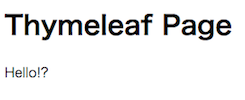
ブラウザで開くと「ゲスト」「メッセージ」と表示される (Natural Templates)。Spring Boot 経由なら動的に「太郎」「こんにちは / Hello / Bonjour」に置き換わります。
5. 起動と確認
# Maven
mvn spring-boot:run
# Gradle
./gradlew bootRun

# ブラウザで http://localhost:8080/ にアクセス
主要な Thymeleaf 属性
条件・繰り返しの例
管理者専用
一般ユーザ向け


  管理者
  一般
  ゲスト


  1
  0
  10
URL 表現 @{...}
![]() 詳細
検索
外部
詳細


検索


外部
レイアウト (Fragment)
タイトル
サイト名
本文
application.properties の設定
# キャッシュ (開発中は false)
spring.thymeleaf.cache=false

# テンプレートディレクトリ
spring.thymeleaf.prefix=classpath:/templates/
spring.thymeleaf.suffix=.html

# モード (LEGACYHTML5 で XHTML 強制を緩和)
spring.thymeleaf.mode=HTML

# 文字コード
spring.thymeleaf.encoding=UTF-8

# Content-Type
spring.thymeleaf.servlet.content-type=text/html
FAQ
Q: 変更がブラウザに反映されない
A: spring.thymeleaf.cache=false + Spring Boot DevTools 導入。
Q: テンプレートが見つからない
A: ファイルが src/main/resources/templates/ 下にあるか、Controller の戻り値の文字列とファイル名が一致しているか確認。拡張子は付けない。
Q: th:text と th:utext の使い分け
A: 通常は th:text (XSS 対策)。HTML を出力したい安全なデータだけ th:utext。
📸 参考画像
※ 旧バージョンから引き継いだ参考画像です。手順・図解の補助としてご覧ください。