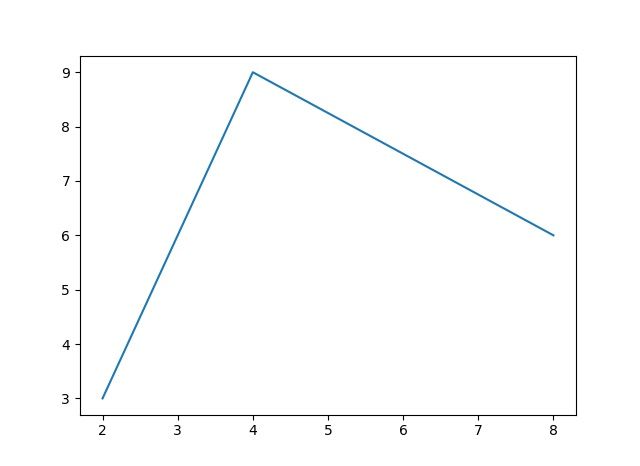
タイトル: 線グラフ
SEOタイトル: Matplotlib 線グラフ完全ガイド(plot / subplots / 軸 / fill_between)
| この記事の要点 |
|
最も簡単な線グラフ
import matplotlib.pyplot as plt
import numpy as np

x = np.linspace(0, 10, 100)
y = np.sin(x)

plt.plot(x, y)
plt.show()
x を省略すると x = [0, 1, 2, ..., len(y)-1] になります:
plt.plot([1, 4, 9, 16, 25])   # x = [0, 1, 2, 3, 4]
plt.show()
2 系統の API: pyplot と Object-Oriented
Matplotlib には書き方が 2 通りあります。コードが大きくなったら OO 派へ:
# pyplot 派 (MATLAB ライク, 短い)
plt.figure(figsize=(8, 4))
plt.plot(x, y)
plt.xlabel('x')
plt.title('Sin curve')
plt.show()

# Object-Oriented 派 (推奨, 複数グラフで分かりやすい)
fig, ax = plt.subplots(figsize=(8, 4))
ax.plot(x, y)
ax.set_xlabel('x')
ax.set_title('Sin curve')
fig.tight_layout()
fig.savefig('out.png', dpi=150)
plt.show()
複数系列を 1 つのグラフに
x = np.linspace(0, 2*np.pi, 100)

fig, ax = plt.subplots()
ax.plot(x, np.sin(x), label='sin(x)', linestyle='-')
ax.plot(x, np.cos(x), label='cos(x)', linestyle='--')
ax.plot(x, np.tan(x), label='tan(x)', linestyle=':')
ax.set_ylim(-2, 2)        # tan が発散するので制限
ax.legend()
ax.grid(True)
plt.show()
subplots: 複数グラフを並べる
# 2x2 のグリッド
fig, axes = plt.subplots(2, 2, figsize=(10, 8))

axes[0, 0].plot(x, np.sin(x))
axes[0, 0].set_title('sin')

axes[0, 1].plot(x, np.cos(x), color='red')
axes[0, 1].set_title('cos')

axes[1, 0].plot(x, x**2)
axes[1, 0].set_title('x^2')

axes[1, 1].plot(x, np.exp(x/3))
axes[1, 1].set_yscale('log')
axes[1, 1].set_title('exp (log scale)')

fig.suptitle('Subplots Example', fontsize=16)
plt.tight_layout()
plt.show()| 記法 | 説明 |
|---|---|
plt.subplots() | 1 つ。fig, ax を返す |
plt.subplots(2, 3) | 2 行 3 列。axes は 2D ndarray |
plt.subplots(1, 3) | 1 行 3 列。axes は 1D ndarray |
plt.subplots(2, 2, sharex=True) | x 軸共有 |
plt.subplots(2, 2, sharey=True) | y 軸共有 |
plt.subplot_mosaic('AB;CC') | 不均等レイアウト |
軸の操作
fig, ax = plt.subplots()
ax.plot(x, y)

# 範囲
ax.set_xlim(0, 10)
ax.set_ylim(-1.5, 1.5)

# 目盛
ax.set_xticks([0, 2, 4, 6, 8, 10])
ax.set_xticklabels(['Z', 'A', 'B', 'C', 'D', 'E'])

# 対数軸
ax.set_yscale('log')   # 'linear' / 'log' / 'symlog' / 'logit'

# 軸ラベル / タイトル
ax.set_xlabel('Time [s]')
ax.set_ylabel('Voltage [V]')
ax.set_title('Response Curve')

# 反転
ax.invert_yaxis()

# 軸の枠を消す
ax.spines['top'].set_visible(False)
ax.spines['right'].set_visible(False)
グリッド
ax.grid(True)                                        # 全グリッド
ax.grid(True, axis='x')                              # 縦線のみ
ax.grid(True, which='major', linewidth=1.0)          # 主目盛
ax.grid(True, which='minor', linewidth=0.3, alpha=0.5)  # 副目盛

# 副目盛を表示
ax.minorticks_on()
二軸グラフ (twinx)
fig, ax1 = plt.subplots()

# 左軸
ax1.plot(x, np.sin(x), color='blue', label='sin')
ax1.set_xlabel('x')
ax1.set_ylabel('sin(x)', color='blue')
ax1.tick_params(axis='y', labelcolor='blue')

# 右軸を追加
ax2 = ax1.twinx()
ax2.plot(x, np.exp(x), color='red', label='exp')
ax2.set_ylabel('exp(x)', color='red')
ax2.tick_params(axis='y', labelcolor='red')

# 凡例統合
lines1, labels1 = ax1.get_legend_handles_labels()
lines2, labels2 = ax2.get_legend_handles_labels()
ax1.legend(lines1 + lines2, labels1 + labels2, loc='upper left')

plt.show()
fill_between で塗りつぶし
x = np.linspace(0, 10, 100)
y_mean = np.sin(x)
y_lower = y_mean - 0.3
y_upper = y_mean + 0.3

fig, ax = plt.subplots()
ax.plot(x, y_mean, label='平均', color='blue')

# 信頼区間っぽい塗りつぶし
ax.fill_between(x, y_lower, y_upper, alpha=0.3, color='blue', label='±0.3')

# y=0 との差を塗る
ax.fill_between(x, 0, y_mean, where=(y_mean >= 0), color='lightblue', alpha=0.5)
ax.fill_between(x, 0, y_mean, where=(y_mean <  0), color='lightcoral', alpha=0.5)

ax.legend()
plt.show()
移動平均と原系列の重ね合わせ
import numpy as np
import matplotlib.pyplot as plt

np.random.seed(0)
t = np.arange(200)
noisy = np.sin(t * 0.05) + np.random.normal(0, 0.3, 200)

# 移動平均(NumPy convolve)
window = 10
ma = np.convolve(noisy, np.ones(window) / window, mode='valid')

fig, ax = plt.subplots(figsize=(10, 4))
ax.plot(t, noisy, label='原系列', alpha=0.4)
ax.plot(t[window-1:], ma, label=f'MA({window})', color='red', linewidth=2)
ax.legend()
ax.grid(True, alpha=0.3)
plt.show()
pandas DataFrame からの直接プロット
import pandas as pd

# pandas の plot メソッド(内部で matplotlib 呼ぶ)
df = pd.DataFrame({
    'A': np.cumsum(np.random.randn(100)),
    'B': np.cumsum(np.random.randn(100)),
    'C': np.cumsum(np.random.randn(100)),
}, index=pd.date_range('2026-01-01', periods=100))

df.plot(figsize=(10, 4), grid=True, title='Cumulative Walks')
plt.show()

# 個別の系列
df['A'].plot()
df.plot(y=['A', 'B'])
df.plot(secondary_y='C')   # 右軸
Seaborn との使い分け
| 用途 | 推奨 |
|---|---|
| シンプルな X-Y 線 | matplotlib |
| カテゴリ別の集計線・信頼区間 | seaborn.lineplot |
| ファセット(条件別小グラフ) | seaborn.relplot |
| 論文・出版向けに細かく整形 | matplotlib |
| 探索的データ分析(EDA) | seaborn / pandas.plot |
import seaborn as sns

# 集計と信頼区間を自動で出す
sns.lineplot(data=df, x='time', y='value', hue='category', errorbar='se')
保存と表示形式
fig.savefig('out.png', dpi=300, bbox_inches='tight')
fig.savefig('out.pdf')           # ベクタ
fig.savefig('out.svg')           # ベクタ
fig.savefig('out.png', transparent=True)   # 背景透過

# Jupyter で SVG レンダリング
from IPython.display import set_matplotlib_formats
set_matplotlib_formats('svg')
FAQ
Q: 図が表示されない
A: スクリプト実行時は plt.show() 必須。Jupyter なら %matplotlib inline でセル内に表示。
Q: 文字化けする
A: 日本語が含まれる場合、matplotlib_fontja をインストール + import するのが最短解。
Q: 線が重なって見にくい
A: alpha=0.5 で半透明、linewidth で太さ調整、または subplots で分割。
📸 参考画像
※ 旧バージョンから引き継いだ参考画像です。手順・図解の補助としてご覧ください。